
Add Row
Add Element
Tech Life Journal
update
Tech Life Journal 
update
Add Element
  • Home
  • Categories
    • Innovation
    • Digital Tools
    • Smart Living
    • Health Tech
    • Gear Review
    • Digital Life
    • Tech Travel
    • Voices in Tech
  • Featured
June 29.2025
3 Minutes Read

Discover Google's Ask Photos Upgrade: A Revolutionary AI Experience Awaits

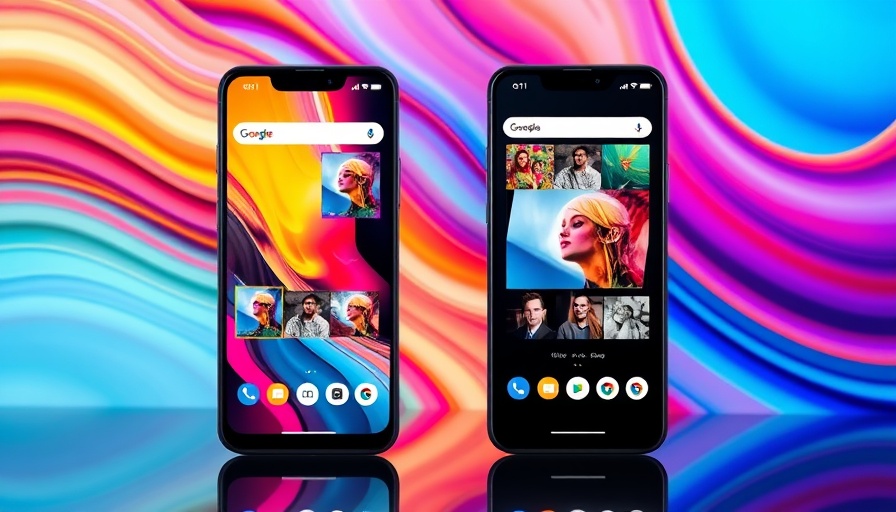
Google Photos AI feature on smartphones displaying photo suggestions.

Google Photos Unleashes AI: The Game-Changer You Didn't Know You Needed

In the ever-evolving landscape of smartphone applications, few updates have sparked as much interest as Google's recent enhancement to its Photos app. The much-anticipated rollout of the AI-powered Ask Photos feature has returned after a brief pause, promising a smarter way to manage your photo collections yet leaving previous frustrations in its wake.

What’s New in Ask Photos?

The Ask Photos feature enables users to query their photo database in innovative ways. You can now ask questions such as, "Where was that restaurant we ate at in San Francisco?" or "Show me all the selfies I took in NYC museums." The AI component, known as Gemini, aims to bring personalized photo assistance to your fingertips, allowing for both straightforward and complex inquiries.

Response to User Feedback

However, as the rollout began earlier this month, feedback from users underscored significant challenges. Many reported unsatisfactory results; photos that were expected to be retrieved remained elusive, and the response times often felt unbearably slow. One Google project manager openly admitted, "Ask Photos isn't where it needs to be," which highlights the difficulties the feature is facing despite its impressive potential.

Improvement Updates: Listening to Users

Fortunately, Google appears to be addressing these concerns. A recent blog post revealed that feedback has directly influenced the updates. The tech giant announced that they have integrated classic search features back into Ask Photos. Improved latency promises faster help for both simple queries like "beach" or "pizza" while ensuring that more complex queries remain active in the background.

Opting Out: Users Take Control

While Google believes in the feature's capability, some users may still feel overwhelmed by its updates. The platform has eliminated a quick-switch option to revert to classic search, but the option still exists for those who prefer traditional photo searching. To opt out, users can navigate to Settings in their app and disable the Ask Photos toggle, soon returning to the familiar experience they once enjoyed. This balance between innovation and user control is crucial as technology becomes increasingly intertwined with our daily lives.

Why This Matters to You

For many, the photos contained within their devices represent significant memories—birthdays, family vacations, or stunning landscapes. Improving how we can search through them enhances not just utility, but also helps resonate emotional connections built through our visual history. The ongoing development in AI can be quite transformative, and attentiveness to user feedback will ultimately make technology more user-friendly and accessible.

Future Implications and Tips

The updates to Google's Photos app remind us how important it is for technology to adapt to meet user needs. The promise of AI features like Ask Photos demonstrates the potential for smarter interactions in our digital lives. As we embrace these advancements, the future could see similar transformations across various apps, rendering them not just tools, but intelligent partners that enhance our everyday experiences.

As you engage with these new updates, consider experimenting with the different functionalities offered. Don't hesitate to share feedback with Google; your insights can shape the future of how we experience our beloved memories.

The integration of AI is just beginning, and while the road may be bumpy, the journey brings exciting opportunities for personal connections through technology. Stay tuned for further advances as Google is likely to continue fine-tuning its tools in response to our needs.

Smart Living

0 Comments

Write A Comment

*
*
Please complete the captcha to submit your comment.
Related Posts All Posts
04.10.2026

Unlock Your DIY Potential: Grab the 50% Off Fanttik S1 Pro Electric Screwdriver Now!

Update Revolutionize Your DIY Projects with the Fanttik S1 Pro Electric Screwdriver In a world where convenience meets innovation, the Fanttik S1 Pro Electric Screwdriver has emerged as a game-changer for DIY enthusiasts and professionals alike. With a 50% discount available, now is the perfect time to snag this handy tool. Offering remarkable performance and efficiency, this electric screwdriver is designed to handle a multitude of tasks with ease. Why the Fanttik S1 Pro is a Must-Have Tool The Fanttik S1 Pro Electric Screwdriver is not just any screwdriver; it's equipped with a powerful motor that can deliver up to 350 RPM, making it a pleasure to use for assembling furniture, electronics, or any DIY tasks around the house. With a lightweight design and ergonomic grip, it provides comfort during extended use. Another standout feature is its rechargeable battery, which boasts a working time of about 2-3 hours per charge, ensuring that you have the power to complete your projects without interruption. Additionally, the screwdriver set comes with multiple bits, making it versatile enough to adapt to various screw types and sizes. What Users Are Saying: Real Experiences With the Fanttik S1 Pro User reviews emphasize the convenience and efficiency this tool brings to home improvement projects. Many users have highlighted how the automatic screw driving feature allows for quick fastening, which is a time-saving advantage for both seasoned DIYers and novices. The inclusion of LED lights for illuminating darker areas also received praise, as it helps avoid mishaps in low visibility settings. Comparing the Fanttik S1 Pro to Competitors In the realm of electric screwdrivers, the Fanttik S1 Pro stands out against its competitors. For instance, while many alternatives focus solely on power, the Fanttik model prioritizes user-friendliness without sacrificing performance. A recent review on tech blogs noted that compared to other well-established brands, the Fanttik S1 offers superior battery life and faster charging times, making it a wise investment. Future Trends: How Electric Screwdrivers Are Changing the DIY Landscape As technology continues to advance, electric screwdrivers like the Fanttik S1 Pro are set to become indispensable tools for both hobbyists and professionals. The integration of smart technology, such as Bluetooth connectivity for precise torque settings through mobile apps, is on the horizon, promising even more features to make DIY tasks simpler and more effective. Making the Most of Your Purchase: Tips for DIY Enthusiasts When you invest in the Fanttik S1 Pro Electric Screwdriver, consider complementing it with additional accessories such as a compact toolbox or magnetic plates for holding screws. This will further streamline your DIY experience, ensuring that you have everything at hand when you need it. Also, reviewing tutorial videos online can enhance your proficiency and inspire innovative projects. With the current promotional offer, purchasing the Fanttik S1 Pro Electric Screwdriver is a prudent decision for anyone looking to upgrade their toolkit. Take advantage of this opportunity to enhance your DIY capabilities and dive into your next project with confidence.

04.09.2026

Repurpose Your Android Tablet: Create Your Ultimate Kindle Alternative

Update A Transformative Journey: Tablet as a Kindle AlternativeIn an era where e-books are soaring in popularity and e-readers like the Kindle dominate the market, many users are still looking for versatile alternatives. With the rise in e-book prices and the discontinuation of updates for older Kindle models, the possibility of transforming everyday Android tablets or iPads into powerful e-readers has occurred to many tech-savvy individuals. Embracing this repurposing invites readers to take control of their digital libraries without having to invest in an additional device.Optimizing Your Tablet for a Reading ExperienceTo transition smoothly from typical tablet usage to a focused e-reading experience, consider the following simple adjustments:Weed Out Distractions: Begin by decluttering your tablet. Uninstall or hide apps that might divert your attention while reading, such as social media and games. Activate "Do Not Disturb" mode to silence notifications during reading hours.Find the Right Apps: Key to enhancing your reading experience is to install an array of reading applications. The Kindle app, Libby for library access, or dedicated reading apps such as Moon+ Reader and Google Play Books, can keep your e-book collection organized while supporting various file formats. Installing audiobook apps like Audible can enhance the reading experience too.Creating a Comfortable Reading EnvironmentOne of the paramount issues users may encounter when utilizing their tablets for prolonged reading is eye strain. Here are tips to counteract that:Reduce Screen Glare: Adding a matte screen protector can diminish glare significantly. Furthermore, configure your display settings to optimize brightness and color temperature. The darker the mode, the better it is for your eyes during nighttime reading.Implement Blue Light Filtering: Tablets often come equipped with features to reduce blue light emissions. Activating "Night Light," "Eye Comfort," or "Reading Mode" will alleviate some strain on your eyes by shifting to warmer tones.Unlocking the Full Potential of Your Reading TabletBesides basic adjustments, take advantage of specialized e-reading features available in various apps. For instance, tools like Adobe PDF Reader or alternative reading apps provide functionalities that range from text-to-speech features to customizable reading layouts. For children, apps designed specifically for young readers can make the experience engaging while maintaining ease of use.An Expansive Library at Your FingertipsWhat makes these rejuvenated tablets even more appealing is their expansive storage capability. Unlike certain e-readers that limit the number of books you can keep, an Android tablet allows for thousands of titles directly on your device. This makes it convenient for readers to carry their entire library wherever they go, a significant advantage for avid readers.Benefits of Choosing a Tablet Over a Dedicated E-ReaderIt's understandable if some dedicated e-reader users remain skeptical of switching to a tablet. However, the benefits are noteworthy:Versatility: Tablets not only support e-books but also can be used for browsing the web, streaming videos, social media, and much more. They serve as multifaceted devices that cater to various needs beyond reading.App Variety: With a plethora of reading apps available, users can customize their reading experience significantly. This feature appeals to different reader preferences, be it reading comics, newspapers, or audiobooks.Take Action: Customize Your Reading Experience Today!Don’t wait to transform your tablet into the ultimate e-reader right away. By implementing the tips discussed, you can elevate your reading experience affordably. It's time to make the most of your Android tablet or iPad by creating your personal e-library, giving you access to thousands of books at the touch of a button.

04.09.2026

Choosing the Right UPS for Your Smart Home: Essential Guide

Update Understanding UPS and Its Importance for Smart HomesAs we transition into an era where smart devices dominate our everyday lives, the reliance on uninterrupted power supply (UPS) systems is becoming increasingly critical. A UPS provides a backup power source during outages, protecting valuable devices like smart thermostats, security systems, and Wi-Fi routers from unexpected disruptions. A well-selected UPS ensures that your home automation functions smoothly, even when the power goes out.Evaluating Your Power NeedsThe first step in choosing the right UPS for your smart home is understanding your power needs. Calculate the wattage required by your essential devices. Make a list of all devices you plan to connect to the UPS and find their wattage specifications, usually found on the device's label. Total the wattages to determine the capacity you require in a UPS. This understanding will help you avoid underpowered systems that might not fulfill your needs during outages.Types of UPS Systems ExplainedUPS systems come in several types, each designed for specific scenarios. The most common types include:Offline UPS: Simple and cost-effective, an offline UPS provides backup power only when the main power source fails. Suitable for less critical devices.Line-Interactive UPS: This type not only gives power backup but also regulates voltage fluctuations, making it ideal for environments with unstable power.Online UPS: Constantly powers devices from the battery, ensuring zero switch-over time during an outage. Though more expensive, it offers the best protection for sensitive electronic devices.Key Features to Look ForWhen selecting a UPS, consider features such as:Battery Runtime: The time your UPS will keep your devices powered during an outage. Look for models that offer a battery runtime that matches your needs.Surge Protection: A UPS with built-in surge protection shields your devices against voltage spikes, extending their lifespan.Management Software: Some UPS units come with software that allows you to monitor power usage and battery health, giving you greater control over your devices.Budgeting for Your UPS InvestmentThe price of UPS systems can vary widely based on capacity and features. Determine your budget beforehand but remember that investing in a reliable UPS can save you from costly damages to your devices during power outages.Future-Proofing Your Smart HomeIn a rapidly evolving tech environment, ensure the UPS you choose has the capacity and flexibility to adapt to future needs. As you add new smart devices or home entertainment systems, a scalable UPS can provide the necessary support, keeping your home automation seamless.Common Misconceptions About UPS SystemsMany believe UPS systems are only meant for businesses or critical facilities. In reality, with the increase in home automation, every smart home could benefit from a UPS. Additionally, some people think that a UPS is too costly or complex to set up. However, many modern models are user-friendly and offer excellent performance without breaking the bank.In conclusion, understanding your power requirements and evaluating the correct UPS type is essential for anyone serious about safeguarding their smart home. As electricity outages become more unpredictable, having an informed strategy for power backup can enhance your home's resilience and protect your technological investments.

Terms of Service

Privacy Policy

Core Modal Title

Sorry, no results found

You Might Find These Articles Interesting

T
Please Check Your Email
We Will Be Following Up Shortly
*
*
*
